
Card Scam Prevention Guide and Card Scam Fund Instructions
Click to download:
Prepaid Cards – Phone Scam Relief Fund Overview
Tips to Prevent Card Load Fraud (Printable PDF of the below information)
Store Tips to prevent potential Card Fraud
Issue
- We have had several situations of card load fraud
- Guests have purchased card products or reloads at 7-Eleven’s, and then been unable to access these funds when they tried to use them
- They have then returned to the store to ask for refunds
- This has happened because the funds may have been loaded onto other card products and have then been potentially stolen
- In these cases, both the Guest and Store are victims of fraud
Update
- We are working aggressively to stop this
- We have identified how You can stop this at the point of sale
Action point
- Talk about the example below, and how to stop fraudulent transactions
Scenario
- A Guest brings a card to the sales counter for purchase, in this instance a Google Play card (it can be any card product – this is for example only)
- The Guests asks the Clerk to load $100 on the card
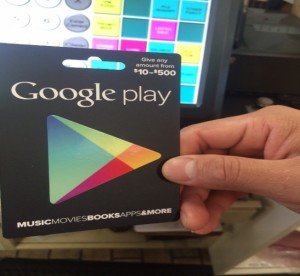
- The Clerk enters the amount to load, and swipes the card –
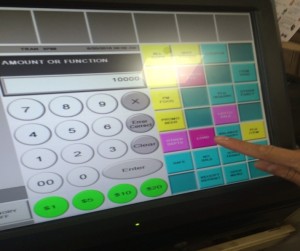
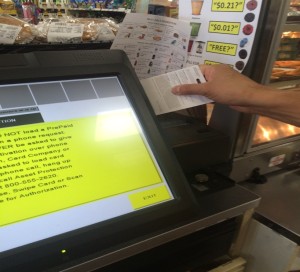
- If the card was loaded correctly, the screen would say – 1 Google Play card loaded for $100 –
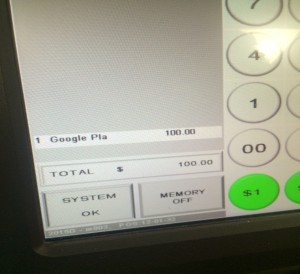
- However, in this case, the Clerk looks at the screen and realizes that the register does not say a Google Play card has been scanned
- Instead, it says the funds are being loaded onto a Netspend card
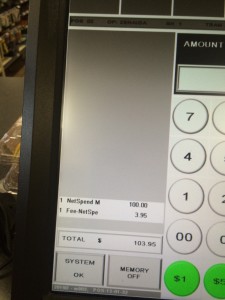
- The Clerk quickly cancels the transaction by using the “Abort Transaction” key
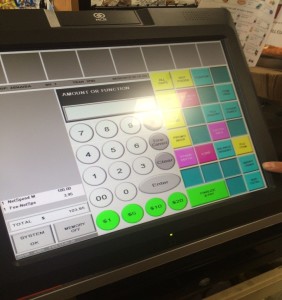
- The Clerk verifies that the transaction has been cancelled –
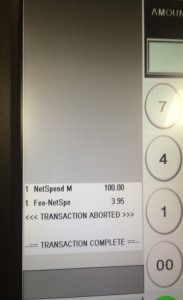
- The Clerk tells the Guest the card is not working, and loads another card from the Services PMU
Key Points on Card Loads / Purchases
- Always look at the card being handed to you by the Guest
- What is it? Is it a pre-paid Visa load, Netspend reload, Games reload card?
- After scanning the card always stop before hitting the cash button
- Look at the register screen – does the product on the screen match the item you just scanned?
- If not – use the “Abort Transaction” button to cancel the transaction
- Get a different card from the Services PMU display, and load it correctly for the Guest
- Keep the card that did not load correctly
- Call the 7-Eleven Hotline at (800) 555-2620 to report the incident
- Call your Field Consultant immediately, and let them know
- Retain the card in the store office – you may be asked to send this in for analysis
Additional information / questions can be directed to:
Steve Kellison, LPC | Zone Asset Protection Manager | Greater L.A.
7-Eleven, Inc.| Mobile – 714 812-3210 | Email – Stephen.Kellison@7-11.com
Law Enforcement – Email LawEnforcement@7-11.com for Requests












